1
Add yourself and set your country
Start by setting your own country and time zone so the app can compare your local time with your contacts.
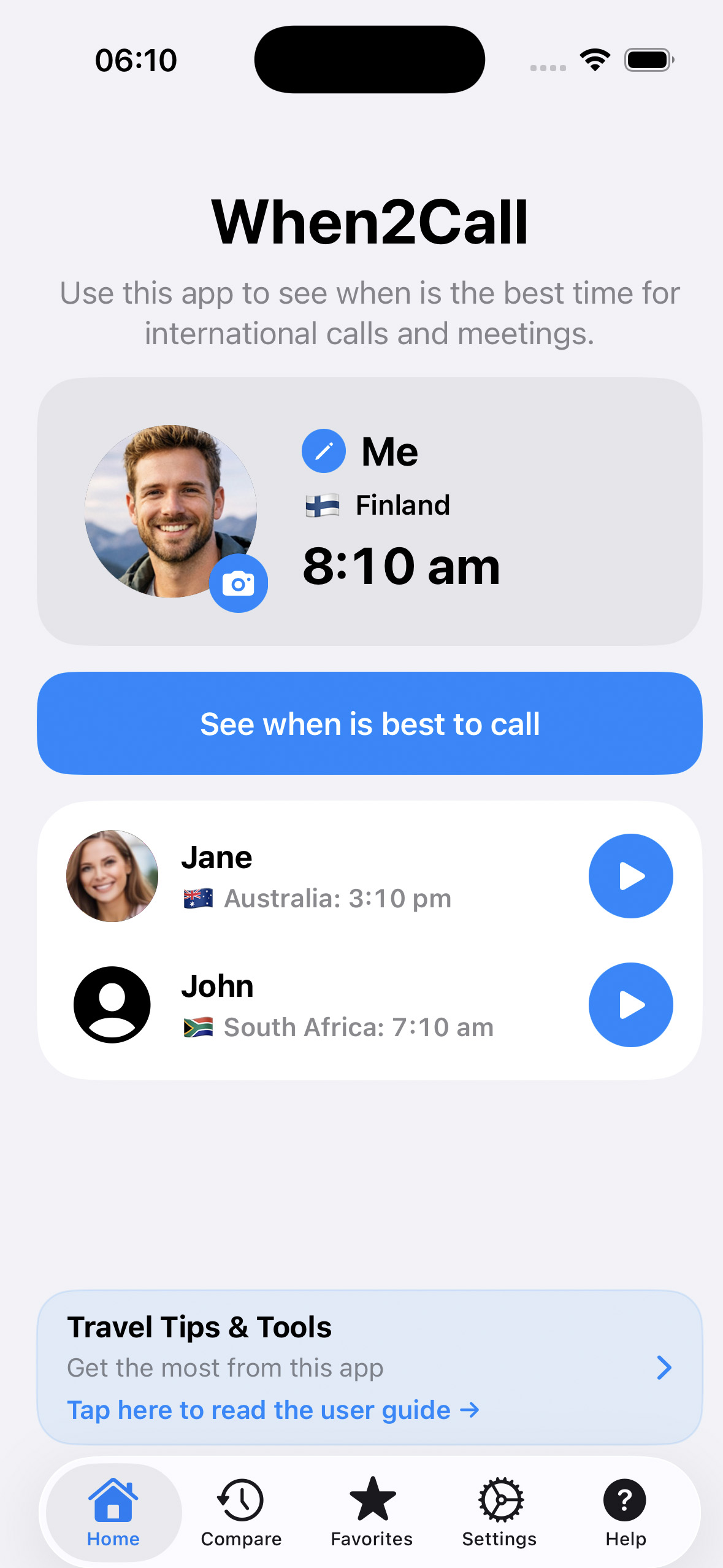
A simple step-by-step guide to help you compare times and know when it is best to call.
Start by setting your own country and time zone so the app can compare your local time with your contacts.
Create contacts for friends, family, clients or colleagues in other countries.
Add working hours or personal availability to make it easier to find suitable call times.
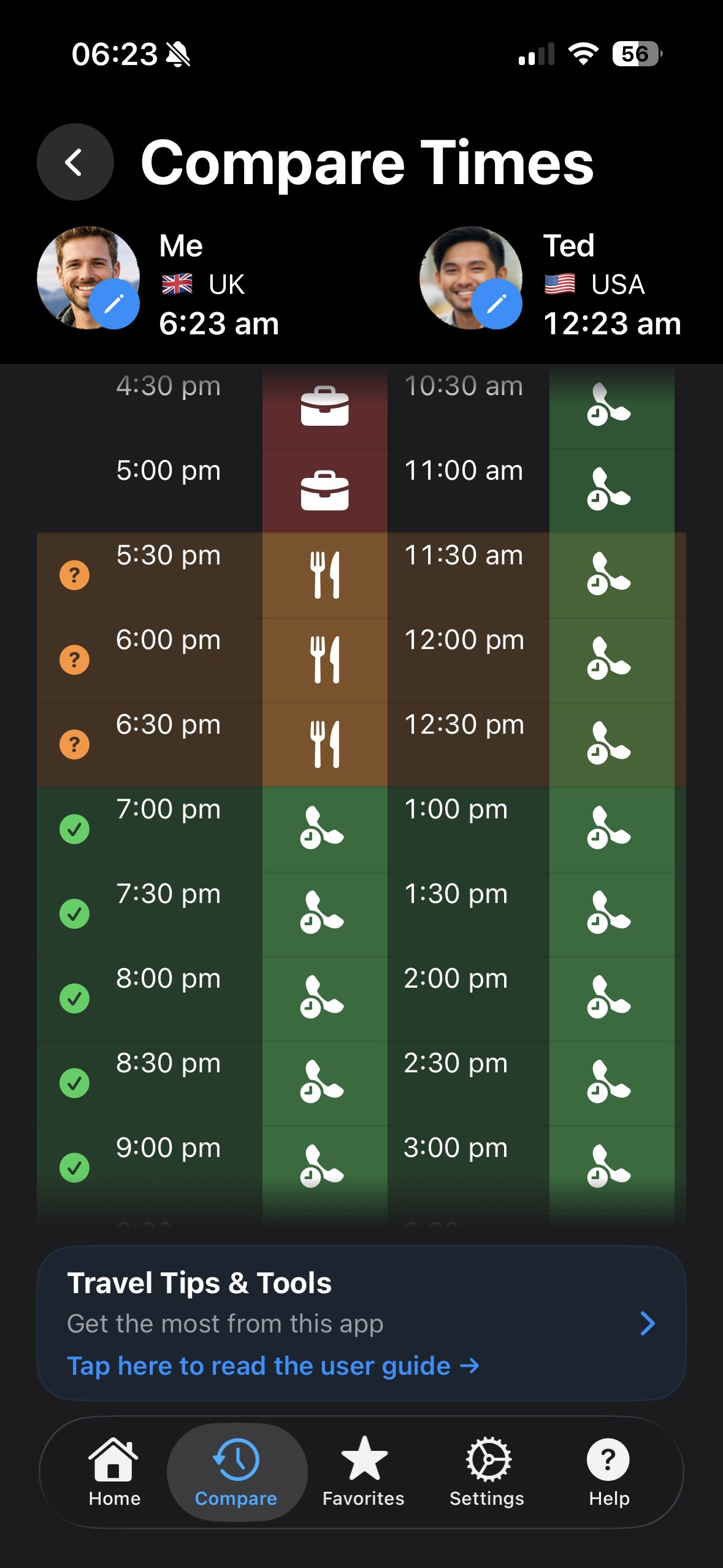
View both time zones side by side and see which time slots work best for both of you.
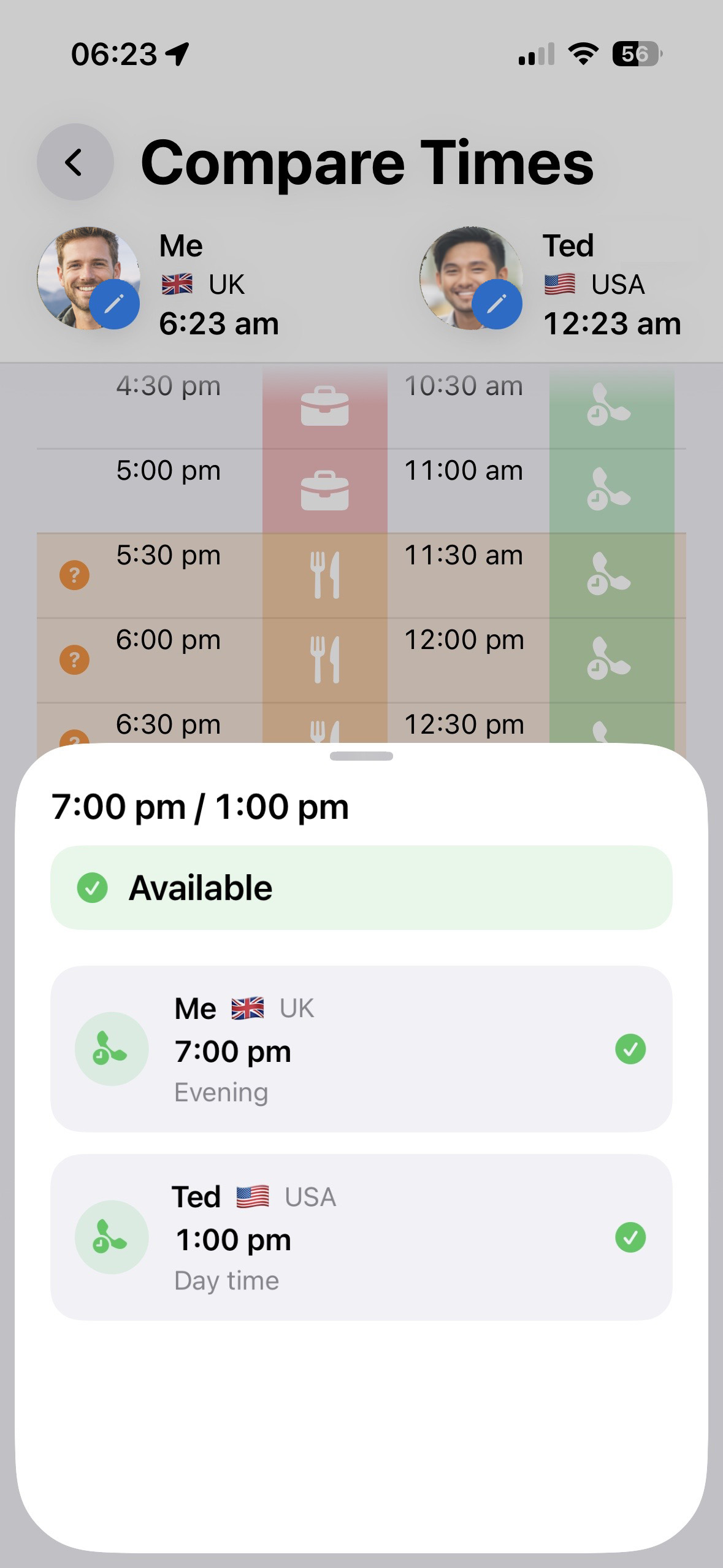
Use the highlighted overlap to decide the best time for your next call or meeting.